Exchange-grade trading tooling that never touches your keys
Role
Product Designer
Platform
Web app
Category
Crypto · Trading platform
Project type
Self-initiated product
01
Overview
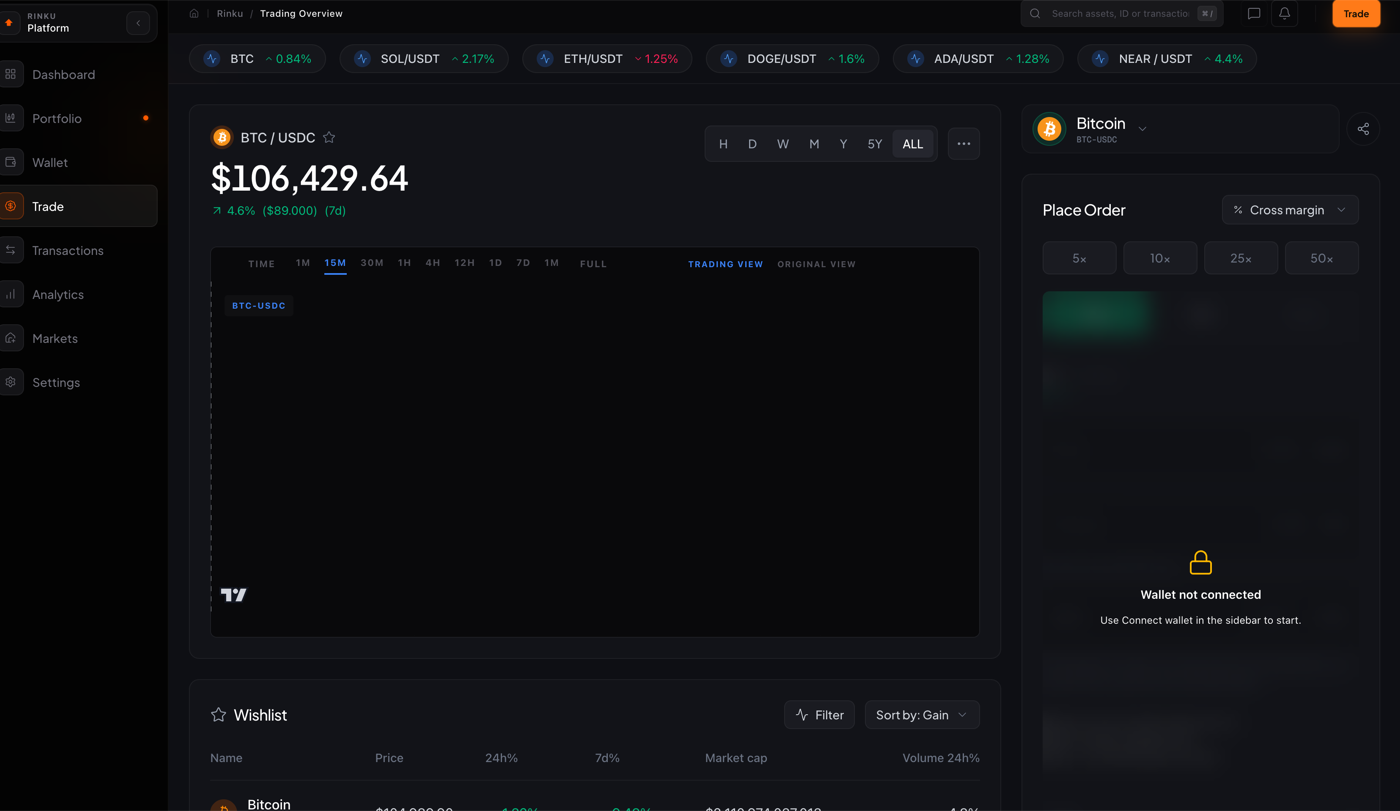
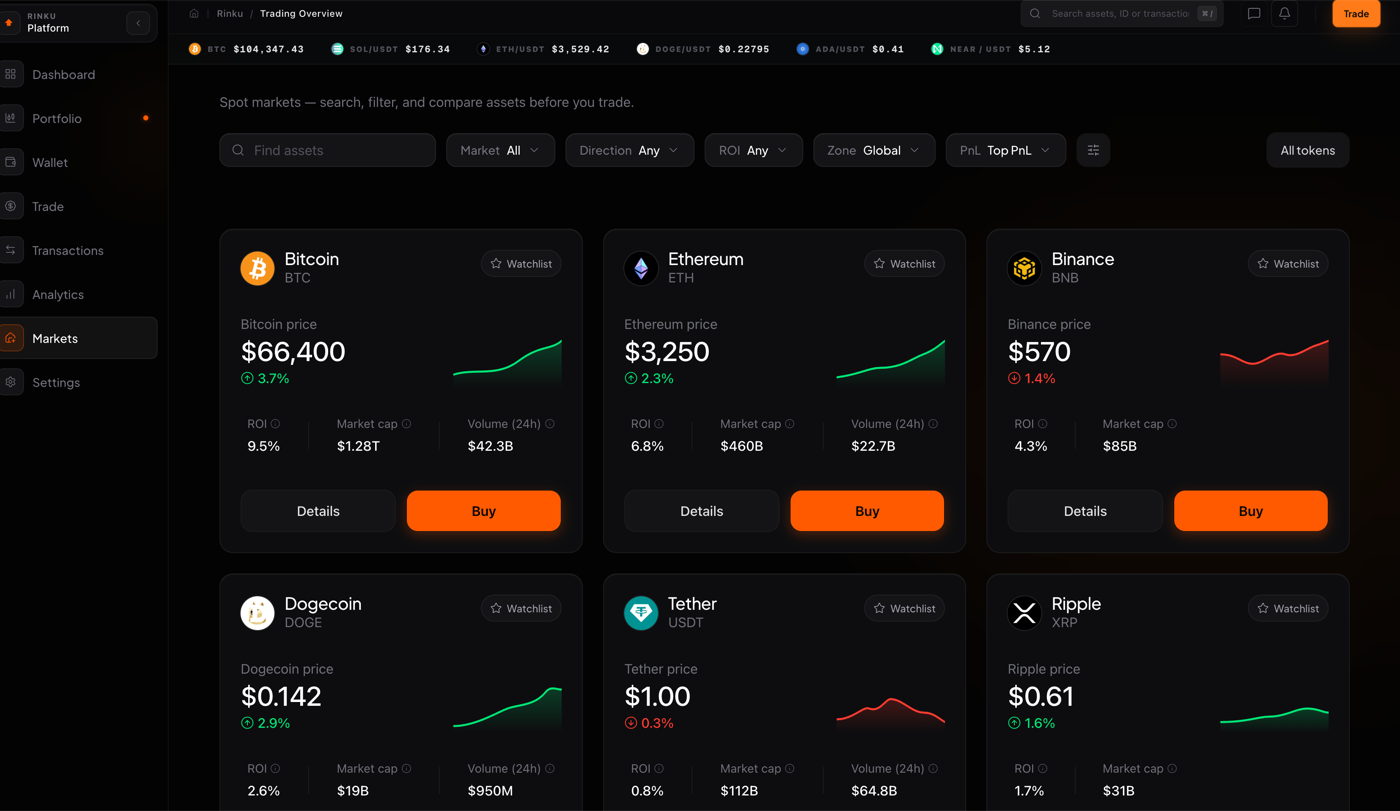
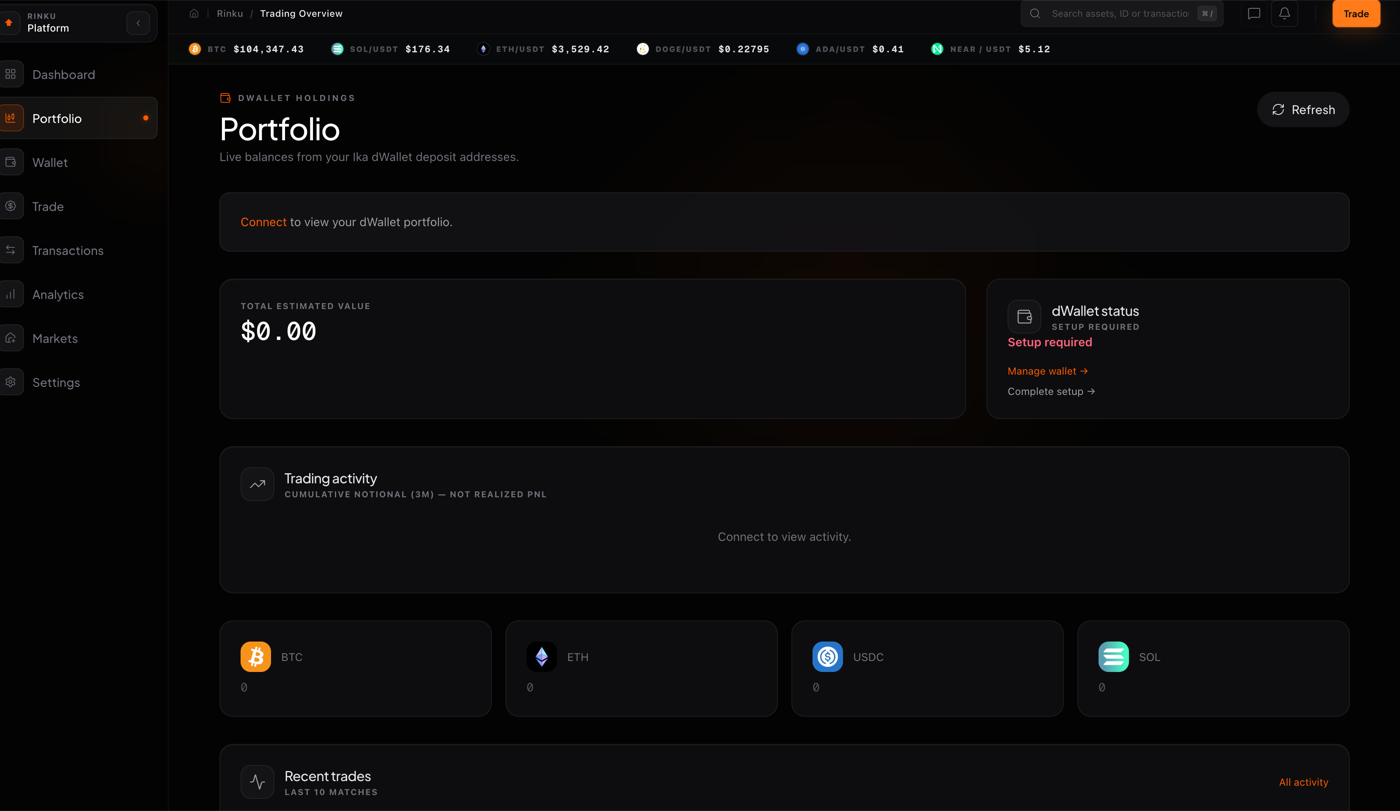
Rinku is a non-custodial crypto trading platform that brings exchange-grade tooling to a self-custody workflow — a command-center dashboard, spot and margin trading with TradingView charts and up to 50x cross margin, a live markets screener, wallet-linked portfolio balances from Ika dWallet deposit addresses, transaction history, and portfolio analytics, all in one dark, data-dense interface.
One app, eight surfaces — Dashboard, Portfolio, Wallet, Trade, Transactions, Analytics, Markets, and Settings — under a live price ticker, with watchlists and alerts, and an order flow that only settles once a wallet is connected, so the user always holds the keys.
Eight surfaces, one shell: learning any section teaches you the rest.
02
The Challenge
Trading interfaces tend to fail in two directions: watered-down consumer apps hide the depth active traders need, while pro terminals bury newcomers in chrome. Rinku had to serve both on a non-custodial foundation, where balances, orders, and settlement all depend on wallet state — disconnected wallets, pending settlements, and margin risk must read clearly without ever implying the platform holds user funds.
Depth vs. clarity: Power users need leverage, timeframes, and order types; newcomers need to not drown.
Honest custody states: The interface must never suggest the platform holds funds when the wallet does.
Risk legibility: Margin, liquidation, and pending settlement need to read unambiguously at a glance.
03
Role, Methods & Tools
Role
Product end-to-end
The information architecture and eight-section app shell, the trading terminal (pair selection, timeframe controls, TradingView chart integration, and an order ticket with cross-margin leverage presets), the dashboard command center with portfolio value, 7-day volume, open orders and settlement widgets, the markets screener with search and filters, wallet connection and setup states, and the design system — tokens, dark theme, and the reusable card, table, and chart primitives underneath it all.
Methods
Trading UX and IA
Product Design, Trading UX, Information Architecture, Data Visualization, Design Systems, State Machine Design, Prototyping, Usability Testing.
I built a modular shell where every surface reuses the same widgets — ticker, watchlist, order ticket, stat cards — so learning one section teaches the rest. The trade view pairs a full charting workspace with a compact order ticket (cross margin, 5x–50x presets, review-before-sign), the dashboard summarises portfolio value, volume, open orders, and pending settlement at a glance, and an explicit connect-wallet gate keeps custody state honest: market data stays readable without a wallet, and actions that touch funds prompt connection only when needed.
ConnectWallet link only when an action touches funds
ScreenMarkets screener and watchlists, readable while disconnected
ReviewConfirm pair, risk, and margin before anything is signed
Live markets screener with search and filtersWallet-linked portfolio balances and analytics
05
In Practice
Connect a wallet from the sidebar, fund the dWallet deposit address with BTC, ETH, USDC, or SOL, and start in Markets or a watchlist — the dashboard's command center walks first-time users from setup-required to live balances, while the Trade ticket keeps pair, leverage, margin mode, and order review on one screen before anything is signed.
One shell, eight surfaces: Shared widgets mean the dashboard, trade view, and screener all behave identically.
Keys stay yours: Custody state is explicit; the platform never implies it holds funds.
Review before signature: Every order shows pair, leverage, and margin mode before the wallet prompt.